
How to get Amazon reviews without breaking the rules
 By Monjur HossainFounder & Amazon Strategy Lead
·
Published
·
Last reviewed
·10 min read
By Monjur HossainFounder & Amazon Strategy Lead
·
Published
·
Last reviewed
·10 min read
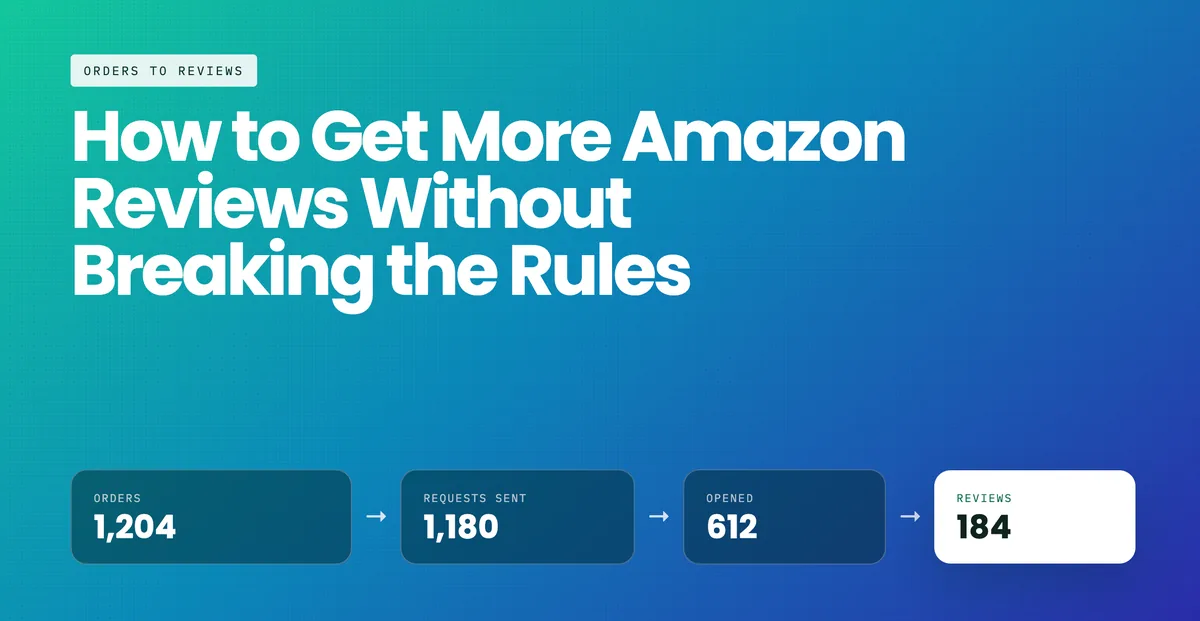
To get Amazon reviews compliantly, use Amazon's own tools: automate Request a Review on every eligible order 5 to 30 days after delivery, enrol new products in Vine about three weeks before launch, and use a neutral packaging insert. Send only one review request per order, never filter who gets asked, and never offer anything in return.
How do you automate Request a Review properly?
Request a Review is the highest-return change available to most established sellers, and it is entirely within policy because the message is Amazon's own.
- Confirm eligibility: the button appears in Seller Central under Orders for orders inside the permitted window after delivery.
- Automate it so it fires on every eligible order rather than when someone remembers. Several approved tools do this through the Selling Partner API.
- Do not attempt to customise the wording. You cannot, and that is the feature — every buyer gets the same neutral ask.
- Exclude nothing. Filtering which orders get a request is review gating, even when it happens inside a tool.
Sellers who move from manual to automated requests typically see request volume rise substantially, simply because the manual version quietly stops happening after a busy fortnight. The button can be used once per order, between 5 and 30 days after delivery.
Amazon product launch
Launching soon? Let's time Vine properly
We plan Vine enrolment, stock arrival and the first review requests together, so your first reviews land when buyers are actually looking. You keep full sight of every step.
See our launch serviceWhen is Amazon Vine the right tool?
Vine is Amazon's own early-review programme for brand-registered sellers (on amazon.com, sellers of generic products can enrol too). You enrol units, Amazon distributes them to reviewers it selects, and those reviewers post honest reviews marked Vine Voice.
It is at its most valuable in exactly one situation: a product with almost no review history, where the review count itself is suppressing conversion. Below roughly fifteen reviews, buyers hesitate regardless of how good the listing is.
It is the wrong tool if you have a product problem. Vine reviewers are not gentle, and enrolling a product with a genuine fault produces a permanent public record of that fault. Fix first, then enrol. On amazon.com, Vine costs $0 for 1–2 enrolled units, $75 for 3–10 and $200 for 11–30 per parent product. There is more detail in is Amazon Vine worth it.
What does a compliant packaging insert look like?
An insert can do three jobs safely: help the customer use the product, tell them how to reach support, and ask neutrally for an honest review. It cannot condition any of those on anything.
A compliant structure, in order:
- Thanks, and one line on who you are.
- The most useful thing they need to know about the product.
- "If anything is wrong, contact us through Amazon and we will put it right." — support offered without diverting them off Amazon.
- A neutral request for an honest review, with no rating mentioned and nothing offered.
Run your exact wording through the free compliance checker before it goes to print. Reprinting ten thousand cards is expensive; a suspension is worse.
What review rate should you expect?
Without automation or Vine, one to two per cent of orders leaving a review is typical. Automated Request a Review commonly lifts that materially, because it fires reliably rather than occasionally.
To work out how many reviews you actually need, the arithmetic is:
A listing at 3.9 with 47 reviews needs 57 five-star reviews to reach 4.5. The same listing with 200 reviews needs 241 — which is why acting early on a rating problem costs a fraction of acting late. Our review rating calculator runs this for you, including how long it takes at your order volume.
Amazon listing optimisation
When the listing is what buyers complain about
If your low ratings keep mentioning size, dimensions or what was promised, the fix is often in the listing itself. We can rewrite it so expectations match the product.
See how we fix listingsWhat if the reviews are not the real problem?
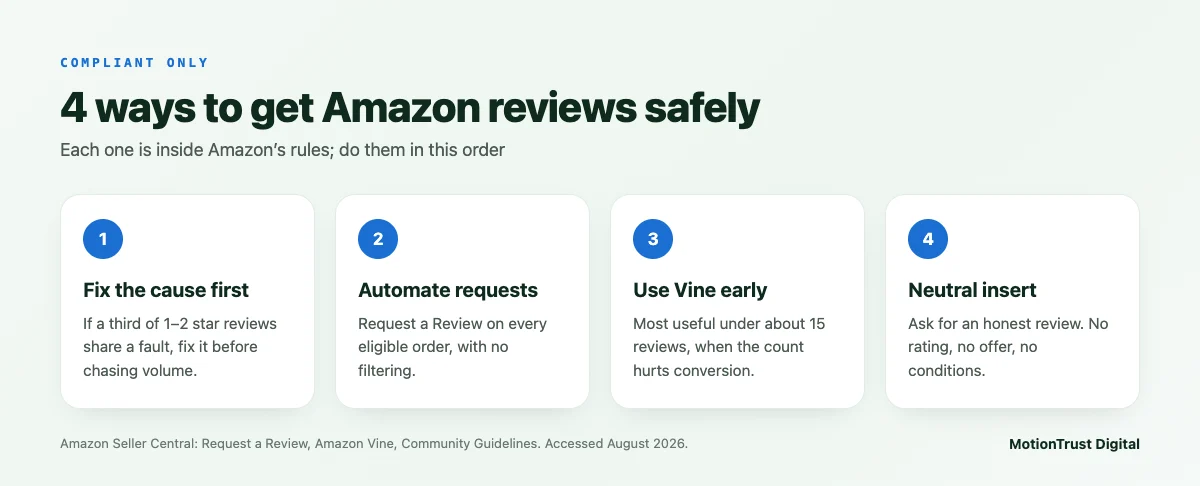
Before you spend anything trying to get Amazon reviews in volume, read your one and two-star reviews and count the themes. If a third of them mention the same issue, you have a product, packaging or listing-accuracy problem, and new reviews will simply restate it at scale.
The three most common causes we see, in order: the listing overstates a dimension or a capability, the packaging fails in transit, and a size guide is wrong. All three are cheaper to fix than to out-review.
In what order should you work to get Amazon reviews?
Run the cheap diagnostic work before the expensive volume work. The order below is deliberate: each step is either free or reversible, and each one changes what the next step should be.
| Order | Step | Cost | Typical time to effect |
|---|---|---|---|
| 1 | Read your one and two-star reviews and count the themes | Free | Immediate — it tells you whether the rest is worth doing |
| 2 | Fix the cause: listing accuracy, size guide, packaging | Varies | Applies to orders from the day you change it |
| 3 | Automate Request a Review on every eligible order | Free or near it | Reviews begin arriving within the request window |
| 4 | Rewrite the insert to a compliant structure | Print cost | Next production run |
| 5 | Enrol in Vine, but only once 1 and 2 are done | Enrolment fee plus the units | Weeks — reviewers choose when to order and write |
Skipping straight to step five is the most expensive mistake in this list, because Vine reviewers are selected for candour: they will document a fault you already knew about, permanently and publicly.
Two points on measurement. First, judge the programme on reviews per hundred orders rather than on total reviews, or a good month of sales will look like a working review strategy. Second, watch the average alongside the count — volume arriving at a rating below your current average pulls the listing down even as the count goes up, which is the case for fixing the product first. The rating calculator models both, and the review management service page sets out how we run the sequence on a client account.
What should you never do?
The complete list, because it is short and the cost of getting it wrong is the account:
- No paid reviews, through any network or agency.
- No incentives — free products, discounts, gift cards, prize draws, warranties.
- No gating: everyone gets asked, or nobody does.
- No asking for a specific star rating.
- No reviewer sourcing, and no lists.
- No self-reviewing, and none from family, staff or connected businesses.
If a supplier offers you any of these, what they are selling is risk with a delivery date attached. The rules themselves are set out in Amazon's review rules for UK sellers, and the UK legal layer on top of them comes from the CMA's unfair commercial practices guidance, which now reaches testimonials on your own website as well as reviews on Amazon.
Two of these have become materially more dangerous than they were. Incentivised reviews and undisclosed gifting are no longer only a platform matter, and a suspension is not the worst outcome available any more. If you are unsure whether an existing arrangement crosses the line, the compliance checker covers the wording and the free audit covers the account.
How do you get Amazon reviews for a new product using only Amazon's tools?
The safest way to get Amazon reviews on a new listing is to use the tools Amazon built for the job, in the right order. Each one has its own timing rule. Miss the timing and the tool either fails quietly or puts you outside policy.
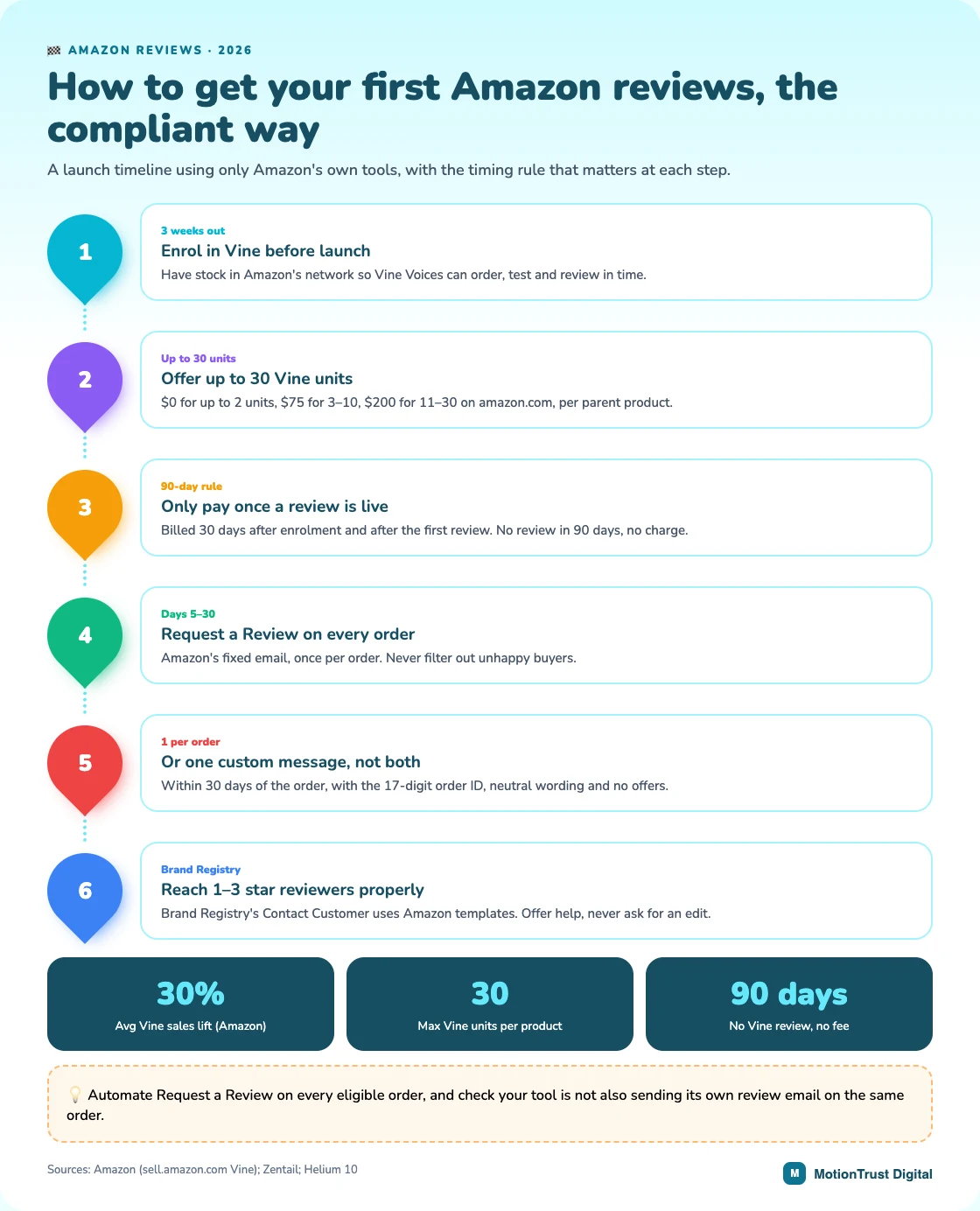
Three weeks before launch: enrol in Vine
Amazon recommends enrolling in Vine at least three weeks before launch, with stock already in its fulfilment network. That gives Vine Voices time to order, use the product and write. You can offer up to 30 units per product, and existing listings qualify while they have fewer than 30 reviews.
The fee is billed only 30 days after enrolment, and only once the first review is live. If no Vine review arrives within 90 days, you pay nothing. Amazon says Vine lifts sales by an average of 30%, based on its own internal data.
Days 5 to 30 after delivery: one request per order
Request a Review sends Amazon's fixed email, and the button works between 5 and 30 days after delivery. A custom Buyer-Seller Message is the alternative. It must go out within 30 days of the order, include the 17-digit order ID and stay neutral.
Pick one route per order, never both. A second ask for the same order is a repeat review request, which Amazon's messaging rules prohibit.
When a 1 to 3 star review lands: Contact Customer
Brand-registered sellers can reach buyers who left a 1 to 3 star review from the Customer Reviews page in Seller Central. The messages are fixed Amazon templates. One offers a refund or replacement. The other offers help with the problem. Neither lets you ask the buyer to change the review, and you should not try.
Is your review automation tool actually compliant?
Most sellers who get Amazon reviews at scale automate the requests. Before you trust a tool with your account, check four things:
- It connects through Amazon's Selling Partner API, not a shared password.
- It sends to every eligible order, with no filter on returns or complaints.
- It never sends a custom review email on top of Request a Review.
- Its message templates contain no offers, star ratings or outside links.
Paste any custom wording into our Amazon review compliance checker first. If you would rather hand over the launch, our Amazon product launch agency team runs Vine timing and requests together. For listings already selling, our Amazon review management service keeps requests going out on every order.
Amazon review management
Want reviews coming in without the worry?
We set up compliant requests on every order, handle Vine timing and keep an eye on your critical reviews. If you would rather spend your time on the product, we are glad to run this for you.
See our review management serviceQuestions people also ask
How can I get more Amazon reviews legitimately?
Automate Amazon's Request a Review button so it fires on every eligible order, enrol eligible products in Amazon Vine, include a neutral packaging insert with no conditions attached, and fix the product or listing problems that cause negative reviews in the first place.
Does Request a Review actually work?
Yes, and it is the highest-return compliant change for most established sellers — mainly because automating it means every eligible order gets a request, where the manual version quietly stops happening once you are busy.
How many reviews do I need to reach 4.5 stars?
It depends entirely on your current count and average. A listing at 3.9 with 47 reviews needs 57 five-star reviews to reach 4.5; the same listing with 200 reviews needs 241. The more reviews you already have, the harder the rating is to move.
Can I include a review request card in the box?
Yes, if it asks neutrally for an honest review, offers nothing in exchange, does not mention a star rating, and does not route unhappy customers away from Amazon. Support contact details alongside the Amazon route are fine.
Can I send both Request a Review and my own review email for the same order?
No. Amazon allows one review request per order, so pick one route. Request a Review is the lower-risk choice because Amazon writes the email. If you prefer a custom Buyer-Seller Message, send it within 30 days of the order, include the 17-digit order ID, keep it neutral, and make sure your automation tool is not also pressing the button.
Do I pay for Amazon Vine if nobody reviews my product?
No. Amazon only bills the Vine fee 30 days after enrolment and after the first Vine review is published. If no review arrives within 90 days of enrolment, there is no charge. On amazon.com the fee is $0 for up to 2 units, $75 for 3 to 10 and $200 for 11 to 30, per parent product.
Written by Monjur Hossain, Founder & Amazon Strategy Lead at MotionTrust Digital, from the agency’s day-to-day work on client Amazon accounts and checked against the primary documentation listed under Sources below. Primary sources for this guide: Amazon and Amazon Seller Central UK.
Every figure attributed to Amazon or to another named organisation links to that organisation’s own page, with the month it was accessed. Anything drawn from our own client accounts is labelled as ours rather than presented as an industry figure, and where no primary source publishes a number this guide says so instead of estimating one. Last reviewed .
- Amazon — Community Guidelines, accessed August 2026.
- Amazon Seller Central UK — Amazon Vine, accessed August 2026.
- Amazon Seller Central UK — Request a Review, accessed August 2026.
- Amazon (Sell on Amazon) — Get customer reviews with Amazon Vine, accessed October 2026.
- Zentail — Amazon Buyer-Seller Messaging changes and what they mean, accessed October 2026.
- Helium 10 — How to contact customers who left you a bad Amazon review, accessed October 2026.
Monjur Hossain
Founder & Amazon Strategy Lead, MotionTrust Digital
Monjur incorporated MotionTrust Digital in September 2022 and leads Amazon strategy across the client base. Eight years in e-commerce and marketplace marketing, now on Amazon only — keyword strategy, listing architecture and advertising structure for growing brands.
MonjurAgencyGet a free Amazon audit
Send your storefront and we will send back a written audit of your listings, keywords, advertising and account health. Back within 48 hours, and yours to keep.
Get Your Free Amazon AuditLast reviewed . We update articles in place rather than republishing at a new URL, so the link you have keeps working.
More reviews, without the risk
Our newest articles on organic reviews, from Request a Review and Vine to inserts and the product fixes that move a rating, all inside Amazon’s rules. One email a week. Email us to join.