
Amazon listing suppressed: why, and how to fix it
 By Monjur HossainFounder & Amazon Strategy Lead
·
Published
·
Last reviewed
·10 min read
By Monjur HossainFounder & Amazon Strategy Lead
·
Published
·
Last reviewed
·10 min read
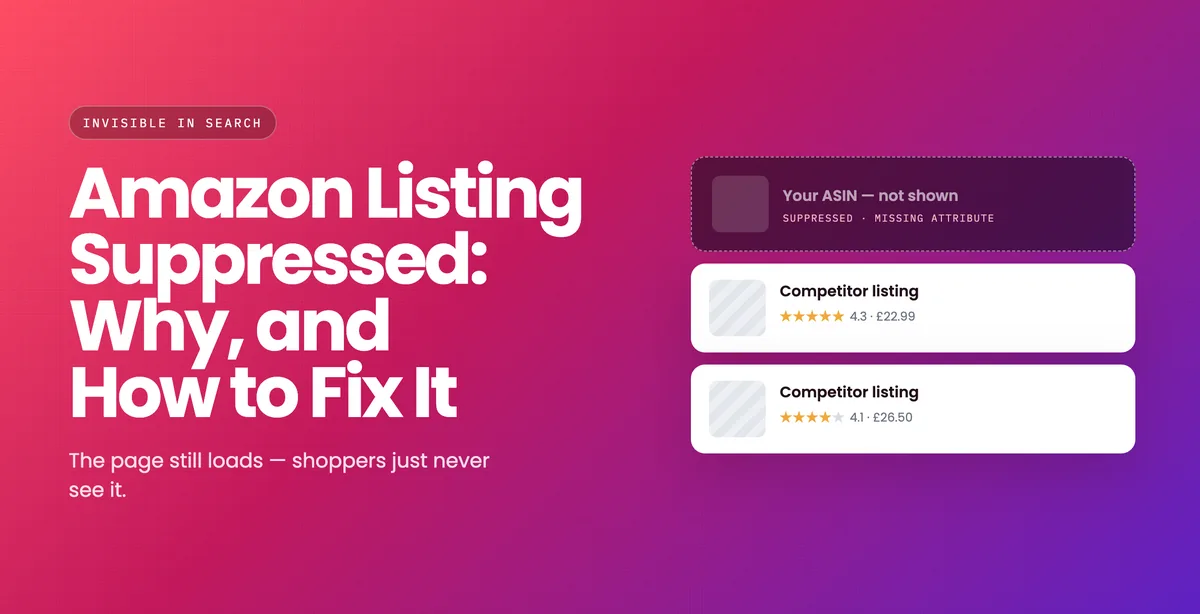
An Amazon listing suppressed from search still exists, but shoppers cannot find it until you fix the issue Amazon flagged. Open Fix Your Products in Seller Central, read the reason, and correct that exact field. It is usually a missing attribute, a non-compliant main image or a restricted claim. Simple fixes often restore the listing within hours.
What does suppressed actually mean?
A suppressed listing is removed from search results and browse pages. The detail page may still load if you have the direct link, but no customer will find it. Sales fall to near zero within hours, and because rank follows sales, position decays while it is down.
Suppression is not the same as a suspension. Suppression is usually a listing quality or compliance problem with a specific fix; a suspension is an account-level enforcement action. If your whole account is affected, read the suspension guide instead.
Free Amazon listing checker
Check your copy before Amazon does
Paste your title and bullets into our free checker and you'll see the restricted phrases and length issues we'd catch on a review. It takes a minute, and you keep the results.
Run the free listing checkWhere do you find out why?
- Seller Central → Inventory → Manage Inventory.
- Filter by Suppressed. Amazon lists the affected ASINs with a reason code.
- Check Fix Your Products, which groups issues by type and often gives the exact missing field.
- Check Account Health for any policy notification attached to the same ASIN.
The reason code is the whole job. Fixing the wrong thing is the most common reason a suppression persists through several attempts.
What are the common causes and fixes?
| Cause | What it looks like | Fix |
|---|---|---|
| Missing required attribute | A category-required field is blank | Complete it in Manage Inventory; usually restores within hours |
| Main image fails standards | Not pure white, contains text, props or watermarks | Replace with a compliant main image on RGB 255,255,255 |
| Restricted phrase in copy | "Best seller", "100%", "guaranteed", medical claims | Remove the phrase from title, bullets and description |
| Pricing error | Price flagged as significantly above the marketplace norm | Correct the price or provide justification |
| Compliance documents | Safety, UKCA/CE or category approval outstanding | Upload via the compliance dashboard and wait for review |
| Category gating | The product needs approval to sell in that category | Apply for ungating with the documents Amazon specifies |
Why do image problems cause so many suppressions?
Because Amazon's main image standards are strict and are enforced automatically. The main image must show the product only, filling most of the frame, on a pure white background, with no text, logos, watermarks, borders, props or additional items that are not included.
The rules most often broken in practice: an off-white background that looks white on screen, a text badge overlaid in the corner, and a prop in shot to show scale. All three are legitimate on secondary images and none are permitted on the main one.
What does a suppression actually cost while it lasts?
A suppressed listing loses its sales and its rank at the same time, and the second takes far longer to recover than the first. Because organic position follows recent sales velocity, a fortnight of invisibility is a fortnight of the signal that holds your position simply not arriving.
Four costs run concurrently, and only the first is obvious:
- Lost sales. Immediate, visible, and the one everybody counts.
- Lost rank. Position decays while you are out and is re-earned rather than restored — the mechanism is in how Amazon's ranking algorithm works.
- Wasted advertising. Campaigns targeting a suppressed ASIN may keep spending against placements that cannot convert. Pause them on the day, not at the end of the week.
- FBA storage on stock that cannot sell. Units sit and accrue storage while the listing is dark, which matters most just before a long-term storage assessment.
The practical response is to treat suppression as urgent even when the fix is trivial, because the expensive part is the elapsed time rather than the work. Pause the advertising, fix the reason code, and plan for the fact that sales on the day you return will be below where they stopped. There is a fuller version of that recovery sequence in the suspension guide, and the same logic applies at listing level.
Worth noting for anyone budgeting: an ASIN suppressed on the way into a seasonal peak costs disproportionately more than the same days in a quiet month, because the rank you lose is rank you were holding for the period that pays for the year. If you sell seasonally, check listing compliance before the season rather than during it.
Account health and reinstatement
Still suppressed after a correct fix?
That's usually when a case needs better evidence, not more cases. If you'd rather hand it over, we'll write the appeal and follow it through with Seller Support for you.
See how we handle reinstatementsHow long does it take to come back?
Attribute and copy fixes are usually fast — often within a few hours of the correction propagating. Anything requiring Amazon to review a document runs to their queue, which is slower and cannot be accelerated.
If a listing has been suppressed for more than a few days after a correct fix, open a case with the ASIN, the reason code, and what you changed. Do not open several cases about the same ASIN; it splits the review.
How do you stop it happening again?
- Check Fix Your Products weekly. Most suppressions start as a warning nobody opened.
- Keep compliance documents current before Amazon asks. Expiry is a common trigger.
- Screen copy for restricted phrases before publishing — our free listing checker flags the common ones.
- Keep a compliant main image on file for every ASIN, so a replacement is minutes rather than a photoshoot.
- Name someone responsible for account health notifications. Most suppressions are found late because nobody owned the inbox, not because the fix was hard.
Restricted phrases are worth screening at the point of writing rather than after publication, because several of them are also claims regulated outside Amazon: superlatives, health and efficacy claims and “guaranteed” language all sit inside the CAP Code's rules on misleading advertising as well as Amazon's policy. Copy that passes both is not much harder to write; it is simply written deliberately. Our listing optimisation work builds that screening into the drafting stage, and how to optimise an Amazon listing sets out the field-by-field order.
Is your Amazon listing suppressed, inactive or removed?
Sellers use the word loosely, but an Amazon listing suppressed from search is a different problem from one that is inactive or removed. Each status has its own cause and its own fix. Working out which one you have saves days of fixing the wrong thing.
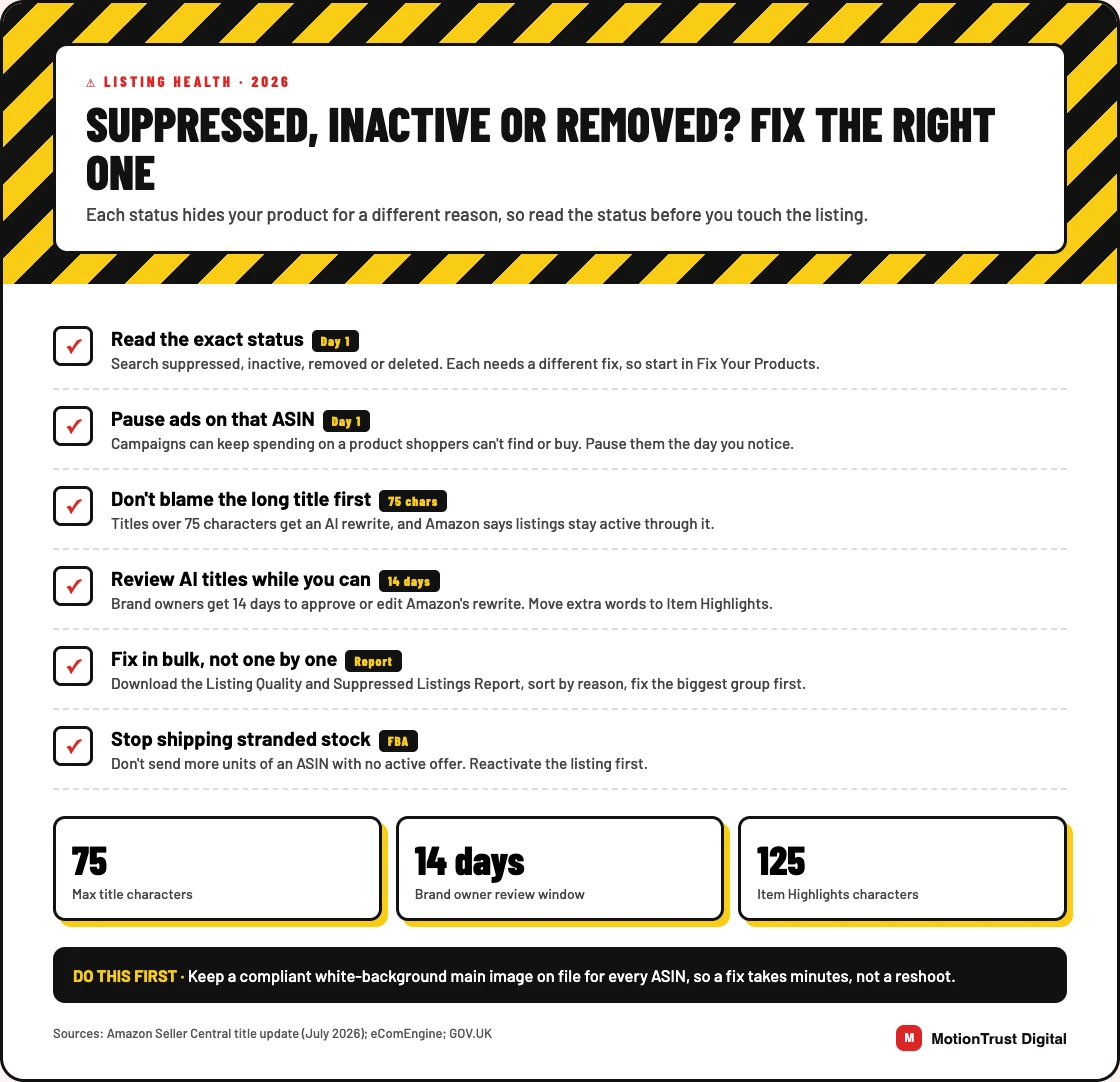
Search suppressed, inactive or removed: reading the status
| Status | What shoppers see | Where the fix starts |
|---|---|---|
| Search suppressed | The page exists but never appears in search | Add the missing image, attribute or category data named in Fix Your Products |
| Inactive | No buy button, so nobody can purchase | Restock, request category approval or correct a flagged price |
| Detail page removed | The page is gone, usually over safety, policy or IP | The Account Health notice, not the listing |
| Deleted or merged | Missing from your catalogue | Re-add by UPC or ASIN, or show Seller Support the items differ |
Stranded inventory is the FBA version of the same mess. Units sit in a fulfillment center with no active offer attached. Amazon's advice is plain: don't send more of that ASIN until the offer is live again.
Will a title over 75 characters get you suppressed?
Probably not, whatever some 2026 guides claim. From 27 July 2026, titles in every category except media must be 75 characters or fewer, including spaces. Amazon says longer titles are rewritten gradually with its AI recommendation, and listings stay active throughout.
The old rule was harsher. Help pages still describe search suppression for titles over 130 characters, or 80 in apparel, shoes and luggage. So if you are asking why is my Amazon listing suppressed and the title is your only suspect, look elsewhere first.
Brand owners get 14 days to review an AI title before it goes live. Use that window. Words that no longer fit can move to the new 125-character Item Highlights field.
When you can't edit the field causing it
Resellers run into this all the time. The detail page follows the brand's data, so your edit is only a suggestion. If you own the brand, enrol in Brand Registry. It is the route that makes your data stick.
If Amazon merged two different products, open one case with both ASINs and photos showing the difference. If it flagged your offer as a duplicate, sell on the original ASIN rather than arguing for the copy.
Fixing dozens of ASINs at once
- Download the Listing Quality and Suppressed Listings Report from Inventory Reports.
- Sort it by reason, not by SKU.
- Fix the biggest group in one flat-file upload.
- Download it again the next day and check what cleared.
Selling into Northern Ireland? The EU's General Product Safety Regulation has applied there since 13 December 2024, so keep safety and contact details complete.
If this keeps happening, our free Amazon listing checker flags the usual triggers. For stuck cases, our Amazon account health service handles the appeal, and our listing optimisation service rewrites titles to the new limit.
Amazon listing optimisation
Listings that stay live and get found
If your titles predate the 75-character rule, or suppressions keep coming back, we'll rebuild each listing to Amazon's current requirements and keep watching it afterwards.
See our listing optimisation serviceQuestions people also ask
Why is my Amazon listing suppressed?
The usual causes are a missing required attribute for the category, a main image that fails Amazon's standards, a restricted phrase in the title or bullets, a pricing flag, or an outstanding compliance document. Seller Central shows the specific reason code under Manage Inventory, filtered by Suppressed.
How do I fix a suppressed Amazon listing?
Find the reason code in Manage Inventory or Fix Your Products, correct that specific issue, and let the change propagate. Attribute and copy fixes usually restore within hours; anything requiring Amazon to review a document takes longer.
Is a suppressed listing the same as a suspended account?
No. Suppression hides one listing from search and usually has a specific technical or compliance fix. A suspension is an account-level enforcement action that stops you selling entirely and requires a Plan of Action.
How long does it take for a suppressed listing to be restored?
Attribute and copy corrections often restore within hours. Document reviews run to Amazon's own queue and take longer. If a listing is still suppressed several days after a correct fix, open a single case with the ASIN, the reason code and what you changed.
Does a suppressed listing lose its ranking?
Yes. Organic position follows recent sales velocity, so a listing that cannot be found stops generating the signal that holds its rank. Position is re-earned after restoration rather than handed back, which is why a trivial fix left for a fortnight costs far more than the same fix made the same day.
Should I pause my ads while a listing is suppressed?
Yes, immediately. Campaigns targeting a suppressed ASIN can keep spending against placements that cannot convert, so the advertising budget is being spent on a listing customers cannot buy. Pause on the day you find the suppression and restart once the listing is live again.
What is the difference between a suppressed and an inactive Amazon listing?
A search-suppressed listing still has a working detail page and can still sell, but it never appears in search, usually because of missing images, attributes or category data. An inactive listing has lost its buy button, so nobody can purchase it. Common causes are no stock, a flagged price, a category approval or a suspected duplicate. Both show their reason on the Fix Your Products page.
Will Amazon suppress my listing if the title is over 75 characters?
Not under the July 2026 rule. Amazon says titles over 75 characters, outside media categories, are gradually replaced with its AI-written recommendation, and that listings stay active during the change. Brand owners get 14 days to review the new title first. If your listing is suppressed, the cause is almost always something else, so check Fix Your Products for the actual reason code.
Written by Monjur Hossain, Founder & Amazon Strategy Lead at MotionTrust Digital, from the agency’s day-to-day work on client Amazon accounts and checked against the primary documentation listed under Sources below. Primary sources for this guide: Amazon Seller Central UK and Advertising Standards Authority / CAP.
Every figure attributed to Amazon or to another named organisation links to that organisation’s own page, with the month it was accessed. Anything drawn from our own client accounts is labelled as ours rather than presented as an industry figure, and where no primary source publishes a number this guide says so instead of estimating one. Last reviewed .
- Amazon Seller Central UK — Product image requirements, accessed August 2026.
- Amazon Seller Central UK — Listing requirements and style guides, accessed August 2026.
- Advertising Standards Authority / CAP — CAP Code section 3: misleading advertising, accessed August 2026.
- Amazon Seller Central (Seller Forums, News_Amazon) — Updates to improve your product titles begin on July 27, accessed October 2026.
- eComEngine — How do I fix inactive, suppressed, and deleted listings?, accessed October 2026.
- GOV.UK — General Product Safety Regulations: Northern Ireland, accessed October 2026.
Monjur Hossain
Founder & Amazon Strategy Lead, MotionTrust Digital
Monjur incorporated MotionTrust Digital in September 2022 and leads Amazon strategy across the client base. Eight years in e-commerce and marketplace marketing, now on Amazon only — keyword strategy, listing architecture and advertising structure for growing brands.
MonjurAgencyBook a 30-minute call
No pitch deck, no obligation, and we will tell you plainly if we are not the right fit. Our pricing is published, so there is nothing to reveal on the call.
Book a Strategy CallLast reviewed . We update articles in place rather than republishing at a new URL, so the link you have keeps working.
Fix the next listing problem before it costs you sales
Our newest articles on listing rules, suppressions and the optimisation work that keeps pages live and ranking, in one email a week. Email us to join.