
How to optimise Amazon listing pages, step by step
 By Monjur HossainFounder & Amazon Strategy Lead
·
Published
·
Last reviewed
·10 min read
By Monjur HossainFounder & Amazon Strategy Lead
·
Published
·
Last reviewed
·10 min read
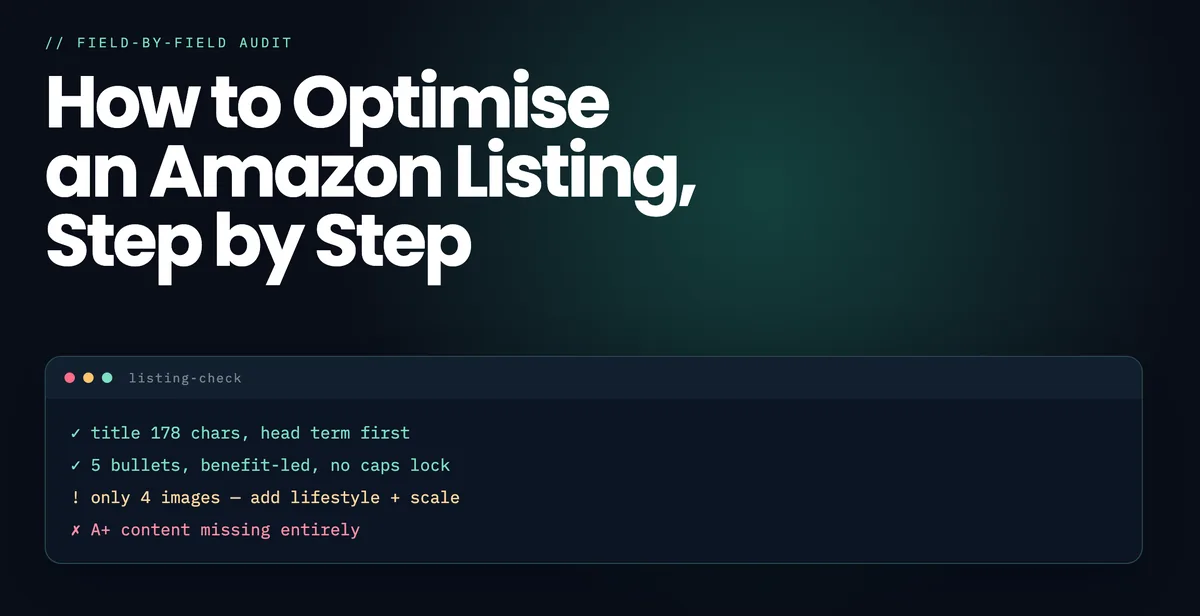
Here is how to optimise Amazon listing pages in the right order: build the keyword set from Amazon search data, map each term to one placement, write the title within the new 75-character limit, use Item Highlights for the next terms, then the five bullets, backend search terms, images and A+ Content. Doing images before keywords is the costliest mistake.
Why does the order matter so much?
Because each step depends on the one before it. Writing a title before you have a mapped keyword set means guessing which terms deserve the most valuable field on the listing. Briefing images before you know which objections the bullets will carry means shooting the wrong things.
The order below is not a preference. It is the dependency chain.
Step 1: Build the keyword set from Amazon, not Google
Seed from the product itself — what it is, what it is for, what it replaces, what buyers confuse it with. Then expand using Amazon's own search suggestions and the terms your ranking competitors are indexed for.
Cross-check volume against Brand Analytics Search Query Performance if you are brand registered; that is the closest thing to ground truth Amazon publishes. Google keyword tools mislead here, because Amazon buyers use attribute-heavy phrases that barely register on Google.
There is a fuller method in our keyword research page.
Step 2: Map every term to exactly one placement
Amazon indexes a term once. A word in the title gains nothing from also appearing in the backend field — it just consumes bytes you could spend on a term you do not rank for at all.
| Placement | What goes there | Limit |
|---|---|---|
| Title | Highest-volume head terms | 75 characters (since 27 July 2026), plus 125 for Item Highlights |
| Bullets | Attribute and use-case terms | 5 bullets, up to 500 characters each |
| Backend | Synonyms, misspellings, terms that read badly | 250 bytes |
| Paid only | Competitor brand terms | Never in the listing — policy breach |
Our free keyword mapper does the deduplication and builds the backend string within the byte limit.
Free keyword mapper
Got a keyword list but no plan for it?
Paste it into our free mapper and it suggests where each term belongs: title, Item Highlights, bullets or backend.
Map my keywordsStep 3: Write the title
The title is the most heavily weighted field and the one buyers read on a phone in a grid. Both jobs matter.
- Within 75 characters. Amazon has enforced the limit since 27 July 2026, so the next terms go in Item Highlights.
- Primary term early, in natural word order.
- Brand handled per your category's style guide.
- The two or three attributes buyers filter on — size, quantity, colour, compatibility.
- No promotional language. "Best", "#1", "100%", "free delivery" and "sale" can get a listing suppressed.
- Readable at a glance. If it looks like a keyword list, conversion falls, and conversion is a ranking factor.
More detail in the free listing checker.
Step 4: Write five bullets, each doing one job
Use all five. Each unused bullet is indexable space given away, and buyers scan them before anything else.
- Bullet 1 — the objection. The thing that stops people buying, answered first.
- Bullet 2 — the main benefit, stated concretely rather than as an adjective.
- Bullet 3 — the specification buyers check: dimensions, capacity, materials, compatibility.
- Bullet 4 — the use case. Who it is for and when they use it.
- Bullet 5 — the reassurance. Warranty, compliance, what to do if something is wrong.
Step 5: Fill the backend search terms correctly
The field most sellers waste. Four rules cover it:
- No word already used in the title or bullets.
- No commas or semicolons — Amazon expects space-separated words and punctuation consumes bytes.
- No competitor brand names. This breaches policy and can suppress the listing.
- Include British spellings, common misspellings and genuine synonyms.
The limit is 250 bytes, not characters. Standard English letters are one byte each; accented characters can be two or more, and anything past the limit is silently ignored rather than rejected.
Listing optimisation
Would you rather we rewrote it with you?
We rebuild the title, Item Highlights, bullets and backend terms from your search data, then test the changes after launch.
See how we optimise listingsStep 6: Images and A+ Content
Images are the strongest conversion lever on a mobile listing, which is where most Amazon traffic now sits, and the main image is also the one Amazon enforces automatically — see why listings get suppressed for what fails. A working set is roughly: a compliant main image on pure white, a scale or in-use shot, an infographic carrying the top specification, a lifestyle image showing who it is for, and a close-up of the detail buyers ask about in reviews.
A+ Content is worth building where you have Brand Registry, but treat it as conversion work rather than ranking work — its text does not index the way bullets do. The gain arrives through conversion rate, which is itself a ranking factor.
Step 7: Publish, then measure the right three numbers
A listing change is an experiment, and an experiment without a baseline is just a change. Record three numbers before you publish and read the same three afterwards: sessions, unit session percentage (Amazon's name for conversion rate), and organic position on your priority terms.
| What moved | What it means | What to do |
|---|---|---|
| Sessions up, conversion flat | The new terms are indexing and bringing traffic | Leave it alone and let velocity accumulate |
| Conversion up, sessions flat | The images or copy are working; visibility has not moved yet | Expect rank to follow over the next few weeks |
| Sessions up, conversion down | You are indexing for terms the product does not satisfy | Tighten the title and remove the loose terms |
| Both down | Usually eligibility, not copy | Check suppression, stock and Buy Box before rewriting anything |
Two disciplines make the difference. Change one layer at a time — title, then bullets, then images — with at least a fortnight between them, or you will never know which edit moved the number. And keep a dated change log: without it you cannot separate a drop you caused from a drop the market caused, and the two need opposite responses.
Give it time before judging. Indexing lands within days, but position follows accumulated conversion and sales history over four to eight weeks, as set out in how Amazon's ranking algorithm works. If the numbers say the listing is fine and rank still will not move, the constraint is usually price, reviews or stock rather than copy — Amazon SEO covers what to do then.
What are the most common mistakes?
- Porting a US listing and changing the spelling. "Trainers" and "sneakers" are different keywords with different volumes on Amazon.co.uk.
- Repeating the primary keyword everywhere. Indexed once; the repetition is wasted.
- Leaving bullets empty because the product "is simple".
- Promotional claims in the title, which risk suppression.
- Changing everything at once with no note of what changed, so nothing can be attributed afterwards.
You can check a live listing against most of these with our free listing checker.
How do you optimise an Amazon listing after the 75-character title change?
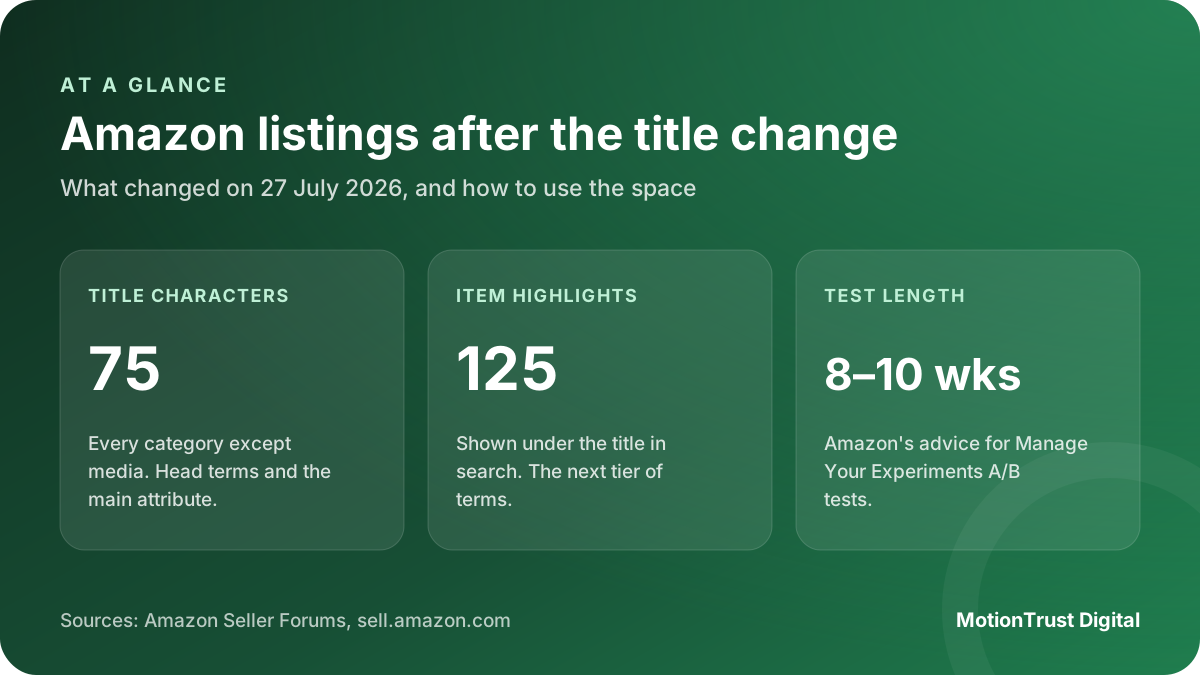
On 27 July 2026 Amazon started enforcing a 75-character limit on product titles in every category except media, and added a separate Item Highlights field of up to 125 characters that shows in search results and on the product page. Amazon’s announcement was posted on the US seller forums; trade sources report the same rule on Amazon.co.uk, so check your category style guide in Seller Central UK. Either way, learning how to optimise Amazon listing titles now means writing for less space.
How to optimise Amazon listing titles and Item Highlights together
The title keeps the one or two terms that say what the product fundamentally is, plus the attribute buyers filter on first. Item Highlights take the next tier: the use case, the key spec, the reason to pick you. Write it as a short readable phrase, not a keyword string.
- Title (75 characters): brand, product type, main head term, the main filter attribute.
- Item Highlights (125 characters): second head term, use case, standout spec.
- Bullets and backend: everything else from your keyword map, no repeats.
Check whether Amazon’s AI has already rewritten your title
Amazon said it would use AI to shorten titles that run over the limit, with a 14-day window for brand owners to review the suggestion. If you missed it, your live title may not be the one you wrote. Open each top seller’s product page now and compare. An automatic cut often drops the very attribute buyers search for.
Writing for Rufus and AI shopping search
Amazon’s shopping assistant answers questions from the listing, its attributes and its reviews. In the US it became part of Alexa for Shopping in May 2026. Fill every attribute field in your category, and answer the real questions buyers ask in plain words: who it suits, what it works with, what is in the box. The listing that answers the question gets quoted.
Testing changes with Manage Your Experiments
Brand-registered sellers can A/B test titles, main images, bullets, descriptions and A+ Content with Manage Your Experiments. Amazon recommends running each test for 8 to 10 weeks. Test one element at a time, starting with the title and main image, because those move click-through the most.
Want a quick read on where your listing stands? Our free listing checker scores the title against the 75-character limit, and our Amazon listing optimisation service rewrites the whole page around the terms that convert. For the keyword map itself, try the keyword mapper.
Free listing check
See how your listing stands today
Our free checker scores your title against the 75-character limit and flags gaps in bullets, images and keywords.
Check my listingQuestions people also ask
What order should I optimise an Amazon listing in?
Keyword set first, then map each term to one placement, then title, bullets, backend search terms, and finally images and A+ Content. Each step depends on the one before it — writing a title before you have a mapped keyword set means guessing.
How long is an Amazon title allowed to be?
75 characters since 27 July 2026, in every category except media, with a separate 125-character Item Highlights field under it. Some categories set stricter limits in their style guides, so check yours in Seller Central: a title over the limit can be rewritten by Amazon or suppress the listing.
What should go in Amazon backend search terms?
Synonyms, common misspellings, British spelling variants and terms that read badly on the page. Never words already used in the title or bullets, never competitor brand names, and no commas — the field is 250 bytes of space-separated words.
How long before listing changes affect ranking?
Indexing for new terms usually happens within 48 hours to two weeks. Position movement takes four to eight weeks, because rank follows accumulated conversion and sales history rather than the text change itself.
Does A+ Content help Amazon SEO?
Indirectly. A+ Content text does not index the way bullets do, so it is conversion work rather than ranking work. It helps rank only because higher conversion rate is itself a ranking factor.
How do I know whether a listing change actually worked?
Record sessions, unit session percentage and organic position on your priority terms before you publish, then read the same three afterwards. Change one layer at a time — title, then bullets, then images — with a fortnight between them, and keep a dated change log. Without one you cannot tell a drop you caused from a drop the market caused.
Can I edit an Amazon listing without losing my ranking?
Yes. Editing copy does not reset your sales history, and rank follows conversion and velocity rather than the age of the text. What does cost you position is changing everything at once, because the listing then has to re-index against a new term set while you have no way of attributing the result.
How many characters can an Amazon product title have in 2026?
75 characters, in every category except media, since Amazon began enforcing the limit on 27 July 2026. A separate Item Highlights field of up to 125 characters sits under the title in search results and on the product page. Check your category style guide in Seller Central for any stricter limit.
What is the Item Highlights field on Amazon?
A field of up to 125 characters, added alongside the 75-character title limit, that shows beneath the title in search results and on the product page. Use it for your second most important terms, the main use case and a standout spec, written as a readable phrase.
Written by Monjur Hossain, Founder & Amazon Strategy Lead at MotionTrust Digital, from the agency’s day-to-day work on client Amazon accounts and checked against the primary documentation listed under Sources below. Primary sources for this guide: Amazon Seller Central UK.
Every figure attributed to Amazon or to another named organisation links to that organisation’s own page, with the month it was accessed. Anything drawn from our own client accounts is labelled as ours rather than presented as an industry figure, and where no primary source publishes a number this guide says so instead of estimating one. Last reviewed .
- Amazon Seller Central UK — Product listing requirements and style guides, accessed August 2026.
- Amazon Seller Central UK — A+ Content guidelines, accessed August 2026.
- Amazon Seller Central UK — Search relevance guidance, accessed August 2026.
- Amazon Seller Forums — Updates to improve your product titles begin on July 27, accessed October 2026.
- Amazon — Manage Your Experiments, accessed October 2026.
- Amazon — Meet Alexa for Shopping, accessed October 2026.
Monjur Hossain
Founder & Amazon Strategy Lead, MotionTrust Digital
Monjur incorporated MotionTrust Digital in September 2022 and leads Amazon strategy across the client base. Eight years in e-commerce and marketplace marketing, now on Amazon only — keyword strategy, listing architecture and advertising structure for growing brands.
MonjurAgencyGet a free Amazon audit
Send your storefront and we will send back a written audit of your listings, keywords, advertising and account health. Back within 48 hours, and yours to keep.
Get Your Free Amazon AuditLast reviewed . We update articles in place rather than republishing at a new URL, so the link you have keeps working.
Keep your listings improving, week by week
Optimisation is never finished. One email a week with our newest articles on titles, bullets, backend terms, images and A+ Content, plus SEO if you want it. Email us to join.