
Amazon Backend Keywords: The Complete Guide to the Search Terms Field
 By Monjur HossainFounder & Amazon Strategy Lead
·
Published
·
Last reviewed
·19 min read
By Monjur HossainFounder & Amazon Strategy Lead
·
Published
·
Last reviewed
·19 min read
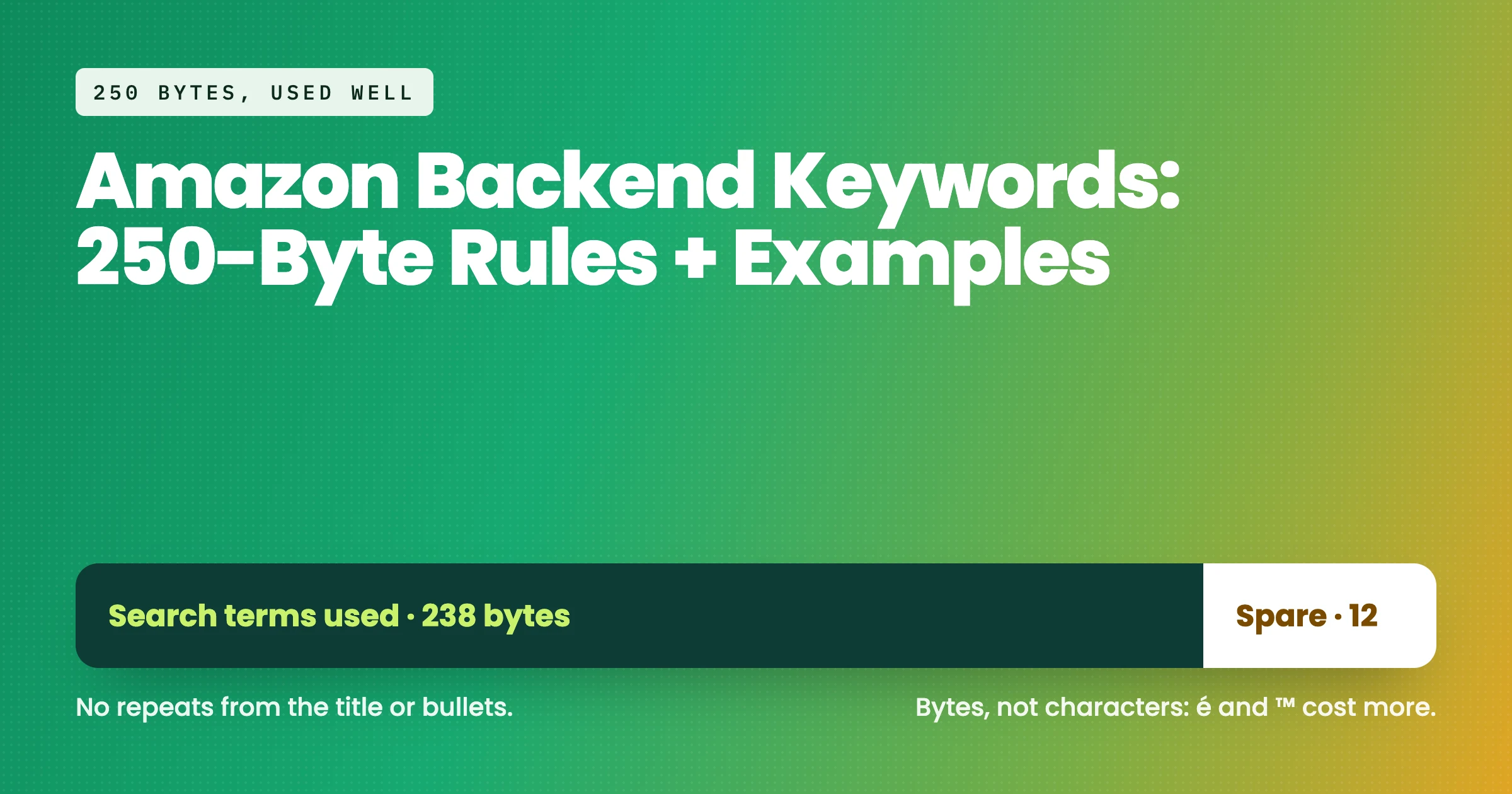
Amazon backend keywords are hidden search terms you enter in the Search Terms field on a listing's Product Details tab. Amazon caps the field at 250 bytes. Use it for synonyms, abbreviations and regional words missing from your title and bullets, separated by spaces, with no brand names, repeats, punctuation or subjective claims.
Amazon backend keywords are the hidden words you add to a listing so it can show up for searches your visible copy does not cover. Shoppers never see them, but Amazon's search engine reads them. Used well, they pick up the synonyms, abbreviations and regional words that would make your title clumsy. Used badly, they waste space or get ignored altogether.
Most guides on page one tell you the basics and stop. Some quote 249 bytes, some say 250 characters, and some still tell you to stuff in misspellings. This guide sticks to what Amazon itself has said, shows you how bytes actually work, and walks through a full worked example for amazon.com with a version for amazon.co.uk. By the end you will have a field you can paste in today.
What are Amazon backend keywords?
Amazon backend keywords, also called backend search terms or hidden keywords, are words you enter in a dedicated listing field rather than in your title or bullets. They exist so you can tell Amazon about relevant search words that do not fit naturally in customer-facing copy.
Amazon describes them as a kind of overflow. Its own Sell on Amazon SEO guide says backend keywords are not visible to shoppers but can help a product rank, and suggests treating them as "spillover" for terms that did not make it into the title or bullets.
How to add backend keywords on Amazon in Seller Central
In Seller Central, go to Catalogue > Manage All Inventory (or Inventory > Manage All Inventory on amazon.com), find the product and click Edit. Open the Product Details tab and look for the field labelled Search Terms, sometimes shown as the Generic Keyword field.
Amazon's keyword research guide confirms that backend search terms are edited in the Generic Keyword field on the Product Details tab. If you manage a large catalogue, the same field appears in category flat files as generic_keywords, which is handy for bulk updates.
If you cannot edit the field, check whether you are the brand owner or whether another seller's contribution is taking priority on the detail page. Brand Registry makes this much simpler, because your contributions as the brand owner carry more weight.
What they do and do not do
Amazon backend keywords do one job: indexing. If a word is in your search terms field, Amazon can consider your listing when a shopper types that word. That is all.
They do not push you to page one by themselves. Where you rank for a word still depends on how relevant Amazon thinks you are and how shoppers respond, through clicks, add-to-carts and sales. A backend term gets you into the race. Your price, images, reviews and conversion rate decide where you finish. Our guide to the Amazon ranking algorithm covers that side in more depth.
What is the backend search terms limit, characters or bytes?
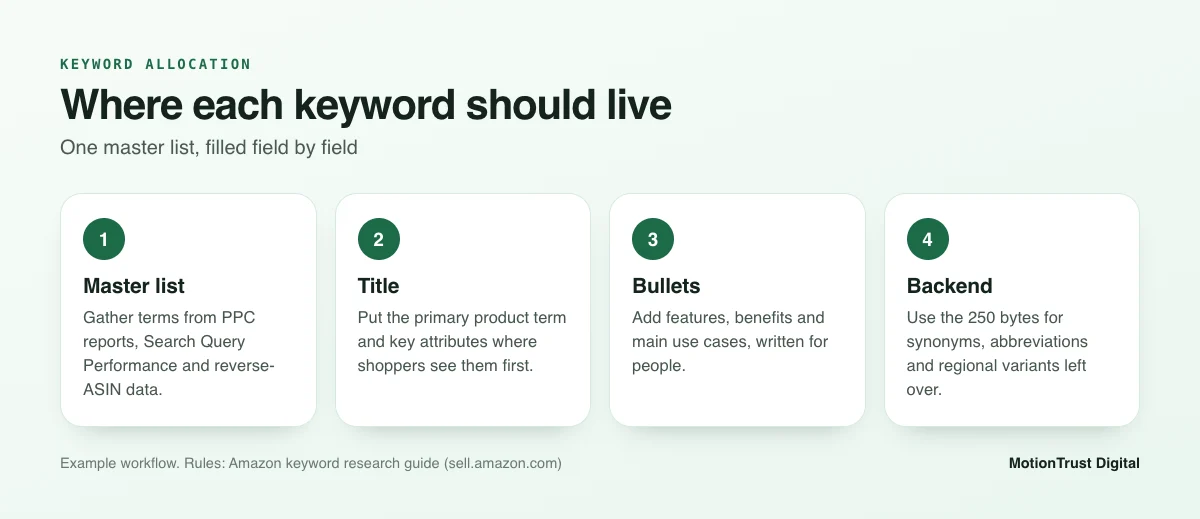
The Amazon backend search terms limit is the most confused point online, so it is worth getting exactly right. In a public Seller Forums tip from Amazon staff, the wording is plain: length is limited to 250 bytes. Not 249, and not 250 characters.
Why do you see 249 elsewhere? Some tools and older guides used it as a safety margin, and the number stuck. Treat 250 bytes as Amazon's stated ceiling and aim to land a few bytes under it.
250 bytes explained
A byte is a unit of data, not a unit of text. The same Amazon staff post notes that bytes and characters are one-to-one for a to z, A to Z and 0 to 9. So for most English-language listings, the amazon search terms 250 bytes limit works out at roughly 250 characters, including the spaces between words.
Spaces count. A field with 35 words separated by single spaces uses 34 bytes on spaces alone. That is one reason stop words and repeats are so wasteful: each one costs its letters plus a space.
Why accents and symbols cost more
Amazon stores text in UTF-8, a standard encoding where plain Latin letters take 1 byte but many other characters take 2 to 4. As a general technical rule:
- 1 byte: a–z, A–Z, 0–9 and a normal space.
- 2 bytes: most accented Latin letters, such as é, ü, ö, ñ and ß.
- 3 bytes: many symbols and most Chinese, Japanese and Korean characters.
- 4 bytes: emoji, which you should not be using here anyway.
Here is an example. The German word "Übergangsjacke" has 14 characters but uses 15 bytes, because Ü takes 2. On amazon.de or amazon.fr, where accents are common, a field that looks like 240 characters can easily tip over 250 bytes. That is where the amazon backend keywords character limit catches people out.
What happens if you go over
Seller Central's help guidance, and a lot of seller experience, point the same way: if the field exceeds the limit, Amazon may not index the search terms at all. You do not lose the overflow words; you can lose the whole field. Some tool vendors describe this as the field being silently dropped.
Seller Central usually blocks or warns on an over-limit entry, but flat file uploads and third-party tools do not always catch it. The safe habit is simple: count bytes, not characters, and leave a margin of 5 to 10 bytes.
Amazon's rules: what you can and cannot put in the field
The amazon search terms field has fewer rules than most sellers think, but the ones it has matter. Everything below is drawn from the Amazon staff forum post and Amazon's own keyword research guide.
Allowed: synonyms, abbreviations, spelling variants
This is what the field is for. Good candidates include:
- Synonyms: "slicker" and "windbreaker" for a rain jacket.
- Abbreviations and alternate names: "tv" for television, "bt" for Bluetooth, "pc" for computer.
- Regional vocabulary: "fall" in the US, "autumn" in the UK.
- Spelling variants: "color" and "colour", "gray" and "grey", where both are used in that marketplace.
- Use cases and audiences: "hiking", "commute", "petite", where they are true of the product.
What about misspellings? Plenty of guides still recommend them. Amazon staff guidance asks for spelling variations but says there is no need for misspellings, and Amazon's own research shows its search already corrects for common spelling errors. We do not include misspellings as standard practice.
Not allowed: brand names, ASINs, subjective and temporary claims
Leave these out:
- Other brands' names, including "fits [brand]" style phrases.
- ASINs, yours or anyone else's.
- Subjective claims such as "best", "amazing" or "cheapest".
- Temporary statements such as "new", "on sale" or "available now".
- Offensive or abusive terms.
Competitor brand names are the one that tempts people most. It is against Amazon's rules and can create trademark problems in both the US and the UK. Your own brand name does not need to go in either, because it is already captured in the brand field.
Formatting: spaces, no punctuation, no repeats, no stop words
Separate words with single spaces. You do not need commas, semicolons or other punctuation, and each one costs a byte. Amazon's guide recommends lowercase, and capitalisation does not change how matching works.
Do not repeat words. If "jacket" is in your title, it does not need to be here, and it does not need to appear twice in the field either. Skip stop words such as a, an, and, by, for, of, the and with. Word order inside the field does not need to read like a sentence; Amazon combines individual words across your listing.
How do you find the right backend keywords?
Good Amazon backend keywords come from data, not guesswork. The process below gets you a shortlist in an afternoon for a single product. If you want the full method, start with our Amazon keyword research guide.
Start from your master keyword list
Build one list of every relevant search term for the product, with an estimate of volume and relevance. Most sellers use a mix of Amazon's search bar suggestions, Brand Analytics and a paid tool. Our comparison of Amazon keyword tools sets out what each one is good at.
Then split the list into individual words. Amazon indexes words, so "waterproof rain jacket" and "rain jacket waterproof" are the same three words. Once you see the list as words rather than phrases, it becomes obvious how much repetition you can cut.
Mine PPC search term reports
Your Sponsored Products search term report is the best source of backend ideas you already own. It shows the actual words shoppers typed before they clicked and bought. Download it from the Ads console under Reports, filter for terms with orders, and look for words missing from your listing.
Example: say an automatic campaign shows that "slicker" brought three orders last month. That word is not in your title or bullets. It is a strong candidate for the backend, and you now have evidence it converts.
Use Search Query Performance
If you are brand registered, Search Query Performance in Brand Analytics shows impressions, clicks, cart adds and purchases for specific queries, plus your share of each. Amazon's Brand Analytics overview notes that you need a Professional selling account and the Brand Representative role in Brand Registry.
Look for queries where you get impressions but a low share of clicks or purchases. Sometimes the fix is in the title. Sometimes a missing synonym is all that stands between you and the query.
Competitor and reverse-ASIN gaps
Run your top three competitors through a reverse-ASIN tool and note the words they rank for that you do not. Our guide to reverse ASIN research explains how to read those reports without copying a competitor's mistakes. You are looking for generic words, never their brand name.
Amazon keyword research service
Want the keyword list built for you?
Our team pulls your PPC, Brand Analytics and competitor data into one prioritised list, then maps each word to the right field.
See our keyword research serviceFront end or back end? How do you allocate keywords?
Amazon backend keywords are the last thing you fill, not the first. Amazon's keyword research guide asks you not to duplicate words already in your title, bullets or description, so the order you fill fields in matters.
Title and bullets first
Your highest-volume, most relevant words go in the title, because the title affects both indexing and click-through. Amazon allows up to 200 characters for most categories but recommends keeping titles to around 60 to 80; its listing tactics guide suggests 80 characters or fewer.
Secondary terms, features and use cases go in the bullet points, written for people. If you need help with that layer, our guide on how to optimise an Amazon listing covers titles and bullets step by step.
What belongs only in the backend
The backend is for words that are relevant but would look odd, repetitive or confusing in visible copy. Typical examples are synonyms a shopper might use, abbreviations, regional words, and extra use cases that do not deserve a bullet of their own.
A simple allocation table
Use this as a starting point. The Amazon keyword mapper tool can do the sorting for you if your list is long.
| Keyword type | Example (rain jacket) | Best field |
|---|---|---|
| Primary product term | rain jacket | Title |
| Key attribute | waterproof, packable | Title |
| Features and benefits | sealed seams, adjustable hood | Bullets |
| Synonyms | slicker, windbreaker | Backend |
| Regional words | cagoule (UK), fall vs autumn | Backend |
| Extra use cases | festival, fishing, golf | Backend or bullets |
| Abbreviations | xl, 2x | Backend |
| Brand names, claims | "best", competitor brands | Nowhere |
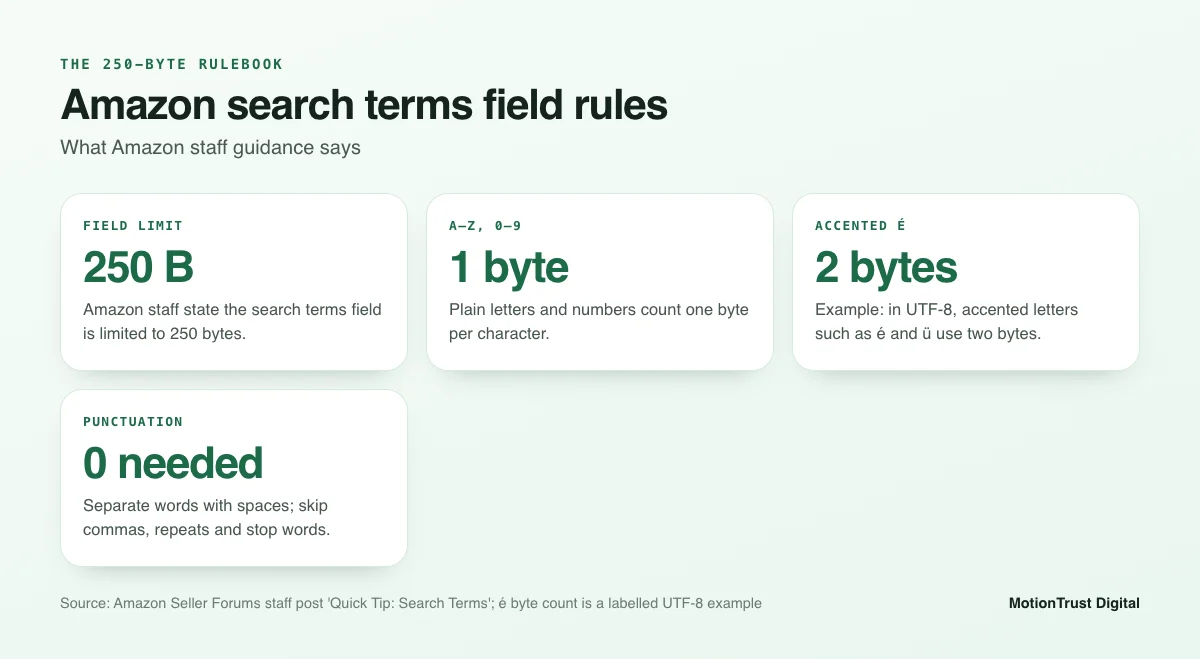
The flow is always the same: one master list, the strongest words into the title, the next layer into bullets, and the leftovers that still matter into the backend.
Worked example: Amazon backend keywords for an amazon.com listing
Let's put Amazon backend keywords together for a clearly hypothetical product. Nothing here is real client data; the point is the method.
Example product and keyword list
Say you sell a women's packable rain jacket for $39.99. Your title on amazon.com reads: "Women's Waterproof Rain Jacket – Lightweight Packable Hooded Raincoat with Pockets". Your bullets already cover breathable fabric, sealed seams, the adjustable hood and the stuff sack.
Your master list, research and PPC report suggest these extra words: slicker, windbreaker, shell, coat, ladies, outerwear, hiking, trekking, walking, camping, travel, festival, commute, cycling, bike, mesh, lined, wet weather, storm, spring, fall, packaway, zip, petite, plus size, golf, fishing, boating, gift.
Before using them, remove anything already in the title or bullets. "Women", "rain", "jacket", "waterproof", "lightweight", "packable", "hooded", "raincoat" and "pockets" are gone. "Breathable" is in the bullets, so strictly it can go too. We will come back to that.
The amazon.com version
Here is the example search terms field for amazon.com, all lowercase, single spaces, no punctuation:
slicker windbreaker shell coat ladies outerwear hiking trekking walking camping travel festival commute cycling bike breathable mesh lined wet weather storm spring fall packaway pocket zip petite plus size golf fishing boating gift
That is 33 words and 231 bytes. It leaves about 19 bytes of headroom, which is the margin we like. If "breathable" really is in your bullets, swap it for a different word such as "trench" or "parka" only if those terms describe the product honestly. If they do not, leave the space empty. Empty bytes cost nothing; irrelevant words can hurt conversion.
Notice "pocket" is still there even though "pockets" is in the title. Amazon's matching often handles singular and plural, but not always for every word, so a single variant is a reasonable use of 7 bytes. "Gift" is borderline: keep it only if the jacket is genuinely bought as a gift.
Adapting it for amazon.co.uk and other marketplaces
The same jacket on amazon.co.uk needs different words. British shoppers search for cagoules, macs and anoraks, and they say autumn rather than fall. "Boating" and "bike" still work. Here is the example UK field:
cagoule kagool mac anorak windcheater shell coat ladies outerwear hiking walking camping travel festival commute cycling bike breathable mesh lined wet weather storm spring autumn packaway pocket zip petite plus size golf fishing dog gift
That is 35 words and 238 bytes. "Kagool" is a recognised alternative spelling, not a typo. "Dog" covers dog walkers, a big rain jacket audience in the UK. We dropped "trekking", which UK shoppers use less for this product, to make room.
Other marketplaces need a native-language field, not a translation of the US one. On amazon.de you would write in German and watch the byte count closely, because every ä, ö, ü and ß costs 2 bytes. On amazon.ca, a mix of US and UK spellings is common, so "color" and "colour" can both earn their place.
Byte count check
Do not trust a character counter. Most word processors count characters, which is fine for plain English but wrong once accents appear. Use a UTF-8 byte counter; many free ones exist online, and any spreadsheet can do it with a formula. In Google Sheets, =LENB(A1) returns the byte count for a cell.
Our rule of thumb is to stop at around 240 bytes. Here is the comparison for the two example fields:
| Marketplace | Words | Characters | Bytes | Headroom |
|---|---|---|---|---|
| amazon.com (example) | 33 | 231 | 231 | 19 |
| amazon.co.uk (example) | 35 | 238 | 238 | 12 |
| amazon.de (example word "Übergangsjacke") | 1 | 14 | 15 | n/a |
Free Amazon listing audit
Not sure your search terms are working?
Send us an ASIN and we will check the backend field, byte count and indexing alongside your title and bullets.
Request a free listing auditHow do you check backend search terms are indexed?
Saving the field is not the same as being indexed. A quick check after every change tells you whether Amazon has accepted the words.
The ASIN + keyword search check
The most common method is simple. Go to the Amazon storefront for the right marketplace and search for your ASIN followed by one backend word, for example B0XXXXXXXX slicker. If your product appears, the word is indexed. If you get "no results", it probably is not.
Be clear about what this is. It is a community method that sellers and tool vendors use widely, not an official Amazon tool, and results can occasionally be inconsistent. Run it in a private browser window and test a handful of words rather than one. Our Amazon listing checker helps you review the rest of the listing at the same time.
When terms do not index
If several words fail, work through this list:
- Check the byte count. Over 250 is the most common reason a whole field fails.
- Look for brand names, claims or restricted words that might be filtered.
- Confirm your edit actually went live. Another seller's or vendor's contribution can override yours on a shared detail page.
- Check for stray punctuation or odd characters copied in from a spreadsheet.
- Give it more time, then test again.
If the listing has errors in other fields, fix those first. A listing with problems can be partially or fully hidden, as covered in our guide to an Amazon listing being suppressed.
How long changes take
Amazon does not publish a timeline. In our experience, most edits show up within a day or two, but some take longer, particularly during busy periods or when a flat file upload is queued. Wait before you judge a change, and keep a simple log of the date and the old and new field so you can compare like with like.
Common backend search term mistakes
Most problems we see when auditing Amazon backend keywords come from a short list of habits. None of them are hard to fix.
Commas and repeated words
Commas are not harmful, but each one is a wasted byte. Repeats are worse. Writing "rain jacket women rain coat women rain jacket" uses 44 bytes to say what "rain jacket women coat" says in 22. Amazon combines words across the field, so each word only needs to appear once.
Competitor brands
Adding another brand's name to your hidden keywords is one of the most common policy mistakes. It breaks Amazon's rules, invites complaints from the brand, and can raise trademark issues under US and UK law. It also rarely converts, because people searching for a brand usually want that brand.
Going over the limit
Sellers who copy a field from a US listing into a European one often go over without noticing, because accented words cost extra bytes. Others paste a long list from a tool and trust the tool's character count. Count bytes on every marketplace, every time.
Using other fields as keyword dumps
Some sellers try to get round the limit by stuffing keywords into other attributes, such as subject matter, target audience or intended use. Amazon expects those fields to describe the product accurately. The amazon subject matter field, for example, is meant for genuine subject information, not spare keywords. Filling attributes with unrelated words can lead to listing errors and is not worth the risk.
Do Amazon backend keywords still matter with Rufus and semantic search?
Yes, though their job is narrower than it was. Amazon now uses AI shopping tools such as Rufus and semantic models that understand meaning, not just exact words. It is fair to ask whether a list of hidden words still makes a difference.
Lexical vs semantic matching
Lexical matching is word-for-word: if the word is on your listing, you can match. Semantic matching tries to understand intent. Amazon's own researchers explained the shift in a 2019 Amazon Science paper on semantic product search, noting that pure lexical matching falls short because of synonyms, word variations such as woman and women, and spelling errors.
Their answer was to train models on customer behaviour so the system can connect a query to relevant products even when the words differ. That is why misspellings matter less than they used to.
Where backend terms still help
Semantic models are good, but they are not perfect, and they learn from behaviour. A new listing with little sales history gives them less to work with. Explicit words still give Amazon a clear, low-risk signal.
Amazon backend keywords remain most useful for regional vocabulary (cagoule, trainers, nappies), niche synonyms, abbreviations and use cases. They also help AI shopping tools, which draw on the text and attributes of your listing. Think of the field as making your listing easier to understand, not as a trick.
How often should you update backend search terms?
Amazon backend keywords are not a set-and-forget field. The words shoppers use change with seasons, trends and your own advertising. A light, regular review keeps the field earning its bytes.
Review triggers
Revisit the field whenever one of these happens:
- A new search term starts converting in your PPC reports.
- You change your title or bullets, which may free up or duplicate words.
- You launch in a new marketplace and need local vocabulary.
- A seasonal shift begins, such as back-to-school or the run-up to winter.
- Search Query Performance shows impressions without clicks for a relevant query.
A quarterly routine
Once a quarter, set aside an hour per key product and work through this list:
- Export the last 90 days of Sponsored Products search term data.
- Pull Search Query Performance for the same ASIN.
- List converting words not yet on the listing.
- Remove backend words that duplicate the current title or bullets.
- Swap weak words for stronger ones, keeping under about 240 bytes.
- Save, log the change, and run the ASIN + keyword check a few days later.
That routine takes little time and catches most of the slow drift that makes a field stale. Done across a full catalogue, it is also where an Amazon SEO agency can save you real hours.
Amazon listing optimisation service
Let us tune the whole listing, not just one field
We rewrite titles, bullets and search terms together from your own sales and ad data, for amazon.com, amazon.co.uk and beyond.
Explore listing optimisationFrequently asked questions
What are backend search terms on Amazon?
Backend search terms are words you add in the Search Terms field on a listing's Product Details tab in Seller Central. Shoppers cannot see them, but Amazon uses them to decide which searches your product can appear for. They are best used for synonyms, abbreviations and regional words that do not fit naturally in your title or bullet points.
Is the limit 250 characters or 250 bytes?
Amazon states the limit as 250 bytes. For plain English letters, numbers and spaces, one character equals one byte, so it feels like 250 characters. Accented letters such as é or ü use 2 bytes each, and some symbols use more. Count bytes rather than characters, especially on European marketplaces, and leave a small margin under the limit.
What happens if backend search terms go over the limit?
Seller Central guidance and widespread seller experience suggest that if the field exceeds the limit, Amazon may not index the search terms at all, rather than just cutting off the end. That makes the overflow costly. Count bytes before you save, and aim to finish around 240 bytes so a stray accented character cannot push you over.
Should I repeat title keywords in backend search terms?
No. Amazon asks sellers not to repeat words already in the title, bullet points or description. Words in those fields are already indexed, so repeating them in the backend only uses bytes you could spend on new synonyms or regional terms. Repeating a word inside the search terms field itself is equally wasteful.
Can I use competitor brand names in backend keywords?
No. Amazon does not allow other brands' names in the search terms field, and using them can lead to listing problems and trademark complaints in the US, UK and elsewhere. It rarely helps sales either, because shoppers searching for a brand usually want that brand. Focus on generic terms that describe your product honestly.
Do commas matter in Amazon search terms?
Commas are not needed. Amazon staff guidance says to separate words with spaces and that punctuation is unnecessary. A comma will not break the field, but each one costs a byte that could hold part of another useful word. Use lowercase words, single spaces and no punctuation for the cleanest result.
How long do backend keywords take to index?
Amazon does not publish a fixed timeline. In our experience most changes appear within a day or two, though some take longer, especially through flat file uploads or in busy periods. Wait a few days, then check by searching your ASIN with a backend word on the relevant Amazon marketplace before deciding the change has failed.
Do backend keywords still matter with Rufus and AI search?
Yes, though their role is narrower. Amazon uses semantic models that understand synonyms and spelling errors, so you no longer need misspellings. Explicit backend words still help with regional vocabulary, niche synonyms, abbreviations and new listings that lack sales history. They give Amazon's search and AI shopping tools clear, accurate information about what you sell.
Sources
- Amazon Seller Forums (Amazon staff) — Quick Tip: Search Terms
- Amazon — Improve product visibility through effective Amazon keyword research
- Amazon — Amazon SEO: 7 ways to improve your product's search rankings
- Amazon — Amazon Brand Analytics: Get data to grow your business
- Amazon — How to boost Amazon listings to drive more sales: 10 tactics
- Amazon Science — Semantic product search (KDD 2019)
Monjur Hossain
Founder & Amazon Strategy Lead, MotionTrust Digital
Monjur incorporated MotionTrust Digital in September 2022 and leads Amazon strategy across the client base. Eight years in e-commerce and marketplace marketing, now on Amazon only — keyword strategy, listing architecture and advertising structure for growing brands.
MonjurAgencyTry the free tools
Seven Amazon tools that run in your browser — profit and ACoS calculator, PPC auditor, listing checker and more. No account, nothing uploaded.
Try the free toolsLast reviewed . We update articles in place rather than republishing at a new URL, so the link you have keeps working.
Keep your ACoS target working for you
Break-even ACoS is the starting point. One email a week with our newest PPC articles on targets, bids and wasted spend, plus listings and SEO if you want them. Email us to join.